Best CMMC Compliance Software for Small Businesses in 2026
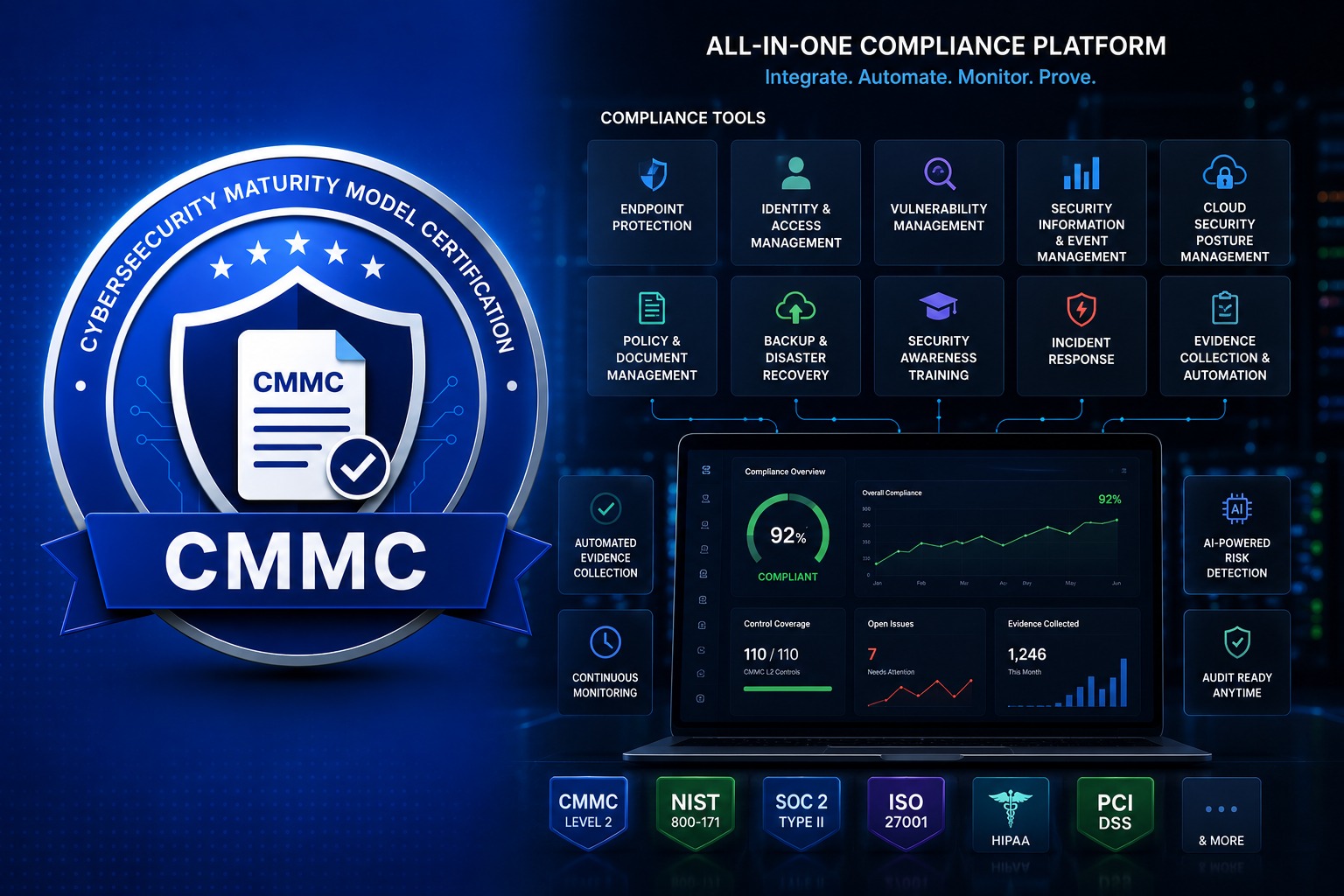
Small and mid-sized defense contractors searching for “CMMC compliance software” usually run into the same wall: dozens of vendors claim to solve CMMC, but most solve one narrow piece of it. A GRC platform tracks your controls. An EDR tool protects your endpoints. An MDM platform manages your devices. None of them, on their own, gets you through a C3PAO assessment for CMMC Level 2.
This guide breaks down the actual categories of software small businesses evaluate for CMMC compliance — GRC platforms, security point tools, and operational tools — and where each one fits (and falls short) in a real Level 2 compliance program. For the checklists, templates, and official sources that sit alongside these tools, see our CMMC resources guide. If you want the step-by-step framework for evaluating any CMMC vendor before you sign a contract, see our buyer’s guide to CMMC compliance software.
GRC Platforms
Governance, risk, and compliance (GRC) platforms are usually the first purchase small businesses make when they start a CMMC program. Platforms like SecureFrame, IVIS, Paramify, IntelliGRC, FutureFeed, and StrikeGraph, among others, give you a dashboard to track your progress against the 110 NIST SP 800-171 practices, store policy documents, generate System Security Plan (SSP) content, and organize evidence in one place. Each has its own strengths and focus, but they share the same fundamental role: documentation and tracking, not enforcement.
That’s the pattern across all of them: GRC platforms tell you what’s supposed to be true about your environment. They don’t, by themselves, make it true. The actual technical controls — patched systems, enforced MFA, monitored endpoints — still have to run somewhere else.
Beyond GRC: The Security Tools You Still Need
Once the GRC dashboard is in place, most organizations discover the harder part: 110 NIST 800-171 practices require actual technical controls running across every endpoint, network, and cloud application in scope. A GRC platform doesn’t provide any of this on its own. It has to be stitched together from separate tools:
Mobile Device Management (MDM)
Enforces configuration baselines, encryption, and access policies across every laptop, phone, and tablet inside your CUI boundary. It's the backbone of Configuration Management (CM) and Media Protection (MP) controls, since you can't lock down a device your tools can't see or remotely manage. Common options for small businesses include Microsoft Intune, Jamf, Kandji, and ManageEngine.
Endpoint Detection & Response (EDR)
Detects and contains malware, ransomware, and intrusions on endpoints in real time, satisfying the technical core of the System and Information Integrity (SI) control family. Modern EDR goes beyond signature-based antivirus, using behavioral analysis to catch threats that have never been seen before. CrowdStrike, SentinelOne, Microsoft Defender for Endpoint, Sophos Intercept X, and Huntress are among the most widely deployed options.
Cloud Security (CASB/SSPM)
Monitors SaaS applications and cloud infrastructure for misconfigurations, risky permissions, and unauthorized access — increasingly important as CUI moves through Microsoft 365, GCC High, and other cloud platforms. Without it, one misconfigured sharing setting can push controlled data outside your boundary without anyone noticing. Wiz, Netskope, Microsoft Defender for Cloud Apps, Obsidian Security, and AppOmni all compete in this category.
Identity & Access Management
Enforces multi-factor authentication and least-privilege access across every system that touches CUI — one of the most frequently cited gaps in failed CMMC assessments, since assessors specifically probe how access is granted, reviewed, and revoked. Okta, Microsoft Entra ID, JumpCloud, and Duo Security are common choices, often layered on top of whatever directory service a business already runs.
Asset Management
Maintains the authoritative inventory of every device, application, and system inside your CUI boundary — the foundation an assessor expects to see before evaluating anything else, since Configuration Management (CM) controls mean nothing if you don't know what's actually in scope. Lansweeper, Axonius, Ivanti, and ServiceNow keep that inventory current automatically instead of relying on a spreadsheet someone updates twice a year.
Backup & Disaster Recovery
Protects CUI and business data from ransomware, hardware failure, and accidental deletion, and generates the contingency planning evidence assessors expect for business continuity. A backup that has never been tested for restoration isn't a backup, it's a hope. Veeam, Datto, Acronis, and Rubrik are widely used, particularly where fast, verified recovery time matters as much as the backup itself.
SIEM / Log Management
Aggregates and correlates logs from every system in scope, satisfying Audit & Accountability (AU) requirements and giving your team, or your assessor, one place to investigate an incident instead of pulling logs from a dozen consoles. Splunk, Microsoft Sentinel, Rapid7 InsightIDR, and Exabeam range from enterprise-scale platforms to more accessible options built for leaner teams.
Security Awareness Training
Delivers the recurring phishing simulations, training modules, and completion records required under the Awareness & Training (AT) control family — training has to be documented and repeated on a schedule, not a one-time onboarding video. KnowBe4, Proofpoint Security Awareness, and Hoxhunt are the most common platforms, pairing simulated phishing campaigns with tracked training completion.
Ticketing System
Provides the timestamped audit trail proving that vulnerabilities and incidents were triaged and resolved within required timeframes — direct evidence for Incident Response (IR) controls that most GRC platforms simply can't generate on their own. Freshservice, Zendesk, and Jira Service Management are common choices, often already in place as general IT help desk tools before a CMMC program even starts.
Enclaves for Storing & Sharing CUI
Many organizations isolate the specific files and emails that contain CUI inside a dedicated, compliant enclave rather than trying to lock down their entire environment. Microsoft's GCC High is the most common choice for organizations already standardized on Microsoft 365, providing a government-community cloud with the access controls, encryption, and screening needed to handle CUI in email and documents. PreVeil offers a lighter-weight alternative built specifically for end-to-end encrypted email and file sharing, popular with small contractors that don't want to migrate their entire tenant to a GCC High environment just to handle a narrow slice of CUI. Either approach can meaningfully shrink the scope of your CMMC assessment, but the enclave still has to be configured correctly and kept in sync with the rest of your security stack — an isolated environment that nobody monitors is just a different kind of gap.
Vulnerability Scanning
Regularly scans systems, networks, and applications for known vulnerabilities, satisfying the Risk Assessment (RA) control family's requirement to identify and remediate weaknesses on a defined cadence rather than discovering them during an incident or an assessment. Qualys and Tenable are the two most established platforms, both capable of authenticated scanning across servers, workstations, and cloud assets, and both commonly cited as the source of the scan reports a C3PAO will ask to see.
Firewall & VPN
Enforces network segmentation and encrypts traffic between users, sites, and systems that touch CUI, forming the core of System and Communications Protection (SC) controls that boundary-protect your environment from the public internet. Whether it's a next-generation firewall from Fortinet or Palo Alto Networks, or a VPN/ZTNA solution from Cisco or Perimeter 81, the goal is the same: control what can talk to what, and be able to prove that boundary is enforced continuously rather than just described in a network diagram.
Each of these tools generates its own logs, its own alerts, and its own evidence trail. Without a way to unify them, your team ends up manually screenshotting dashboards to prove compliance — exactly the kind of stale, self-reported evidence that C3PAO assessors are trained to flag.
Where the Software-Only Approach Breaks Down
Stack all of these categories together — a GRC platform, an MDM, an EDR tool, a cloud security product, an identity provider, an asset inventory, backup, a SIEM, security awareness training, a ticketing system, a vulnerability scanner, a firewall/VPN, and possibly a CUI enclave on top — and a small business is now managing thirteen or more vendor relationships, thirteen login credentials, and thirteen separate sources of evidence that have to be manually reconciled before every audit.
GRC Platforms
Track and document your compliance status. Necessary, but they don't implement or enforce a single technical control.
Security Point Tools
MDM, EDR, and cloud security enforce individual controls, but each operates in its own silo with its own dashboard and evidence trail.
Espresso Labs
One managed platform and team that implements the controls, unifies the evidence, and keeps your SSP accurate — continuously, not just before an audit.
Why Espresso Labs Replaces the Software Stack
Espresso Labs was built around a simple observation: small businesses pursuing CMMC Level 2 don’t have a software problem, they have an operations problem. Buying more tools adds more dashboards to check, not fewer gaps to close.
Instead of licensing a GRC platform, then bolting on an MDM, an EDR product, a cloud security tool, and a ticketing system — and then hiring a consultant to make sense of it all — Espresso Labs delivers all of it as one managed service. Devices are enrolled and managed. Endpoints are monitored and protected 24/7. Cloud environments are continuously checked for misconfigurations. Every control maps directly to a NIST 800-171 practice, with evidence generated automatically from the environment itself rather than typed into a dashboard after the fact.
The SSP Espresso Labs maintains for you reflects what is actually running in your environment, because Espresso Labs is the platform running it. That is the difference between software that documents compliance and a service that operates it.
Sources and further reading
- CMMC Program: official DoD CIO page
- 32 CFR Part 170: Cybersecurity Maturity Model Certification (CMMC) Program (eCFR)
- NIST SP 800-171 Rev. 2: Protecting Controlled Unclassified Information in Nonfederal Systems and Organizations